Upcoming Projects Viewer
Project Summary
This Canvas app feature gives production and field teams a mobile-friendly way to view upcoming projects from the production queue. It helps crews stay aware of current work, recently completed work, and projects planned in the near future.
Home Screen Access
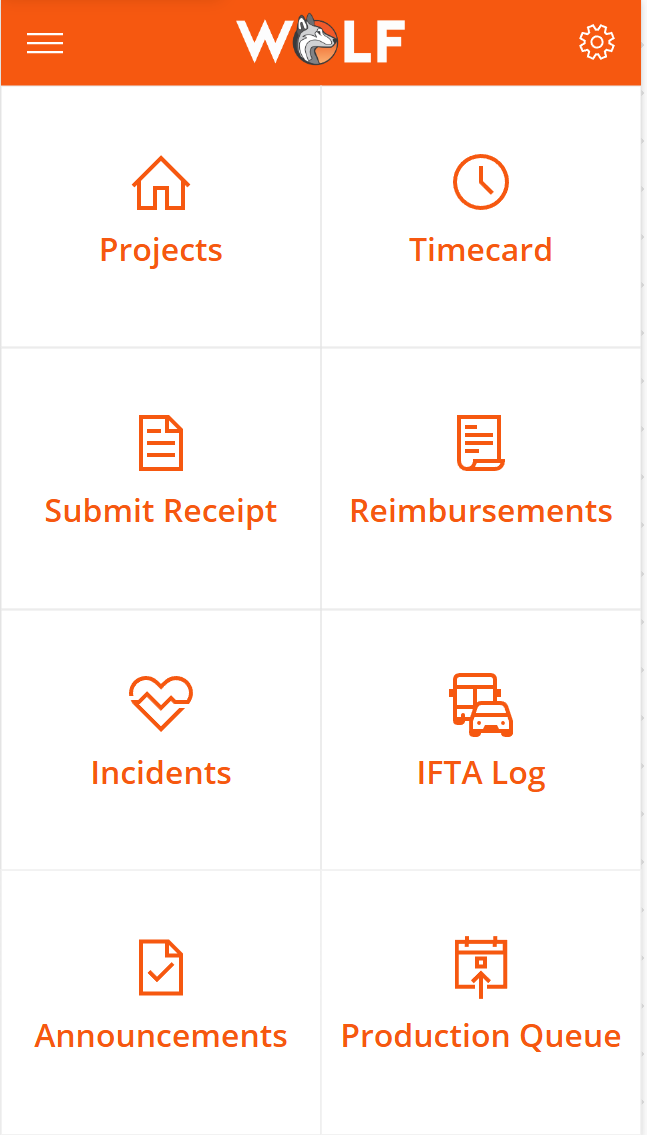
The Production Queue tile is available from the main app home screen, making upcoming project information easy to access alongside other employee tools such as projects, timecards, receipts, incidents, and announcements.
Filtered Production Queue Gallery
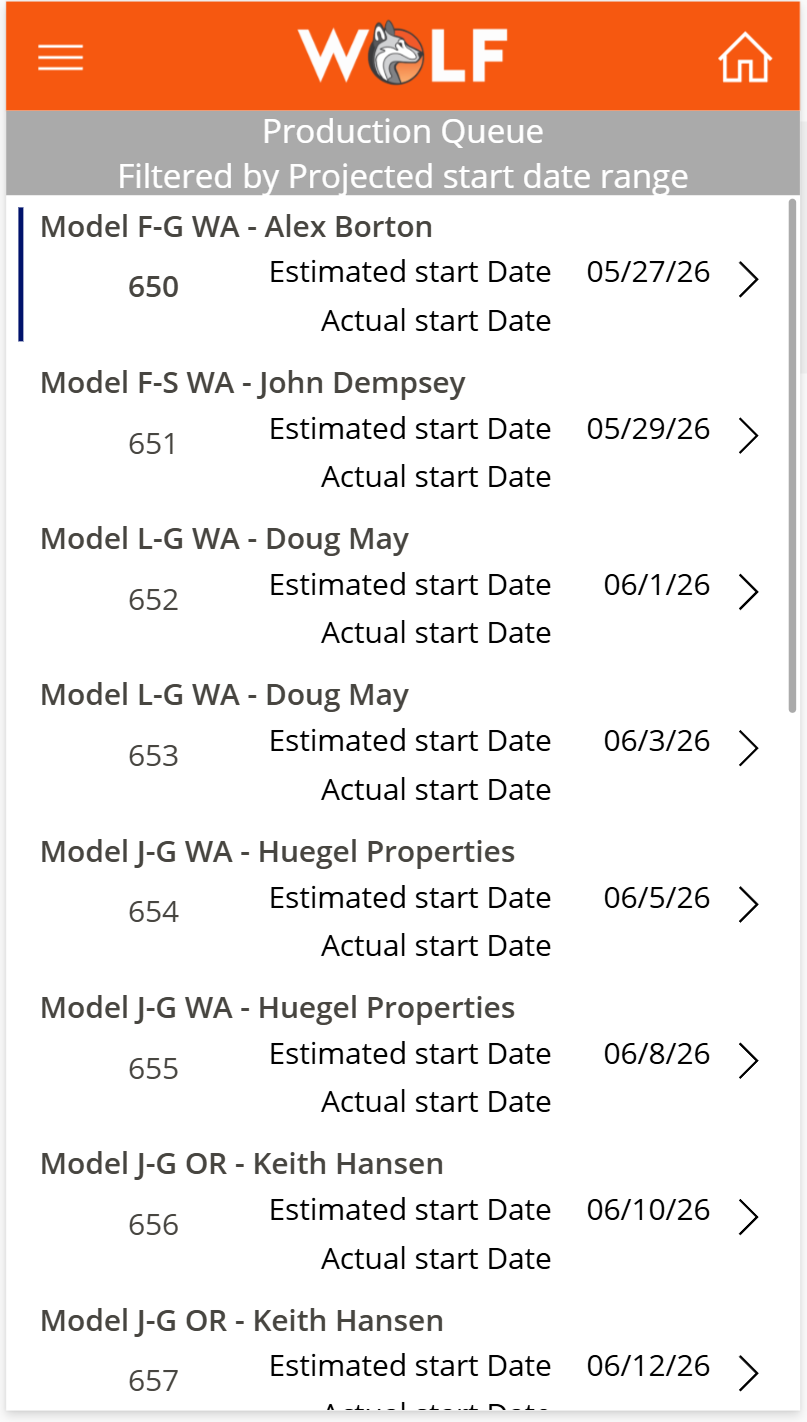
The gallery displays production queue records filtered by estimated start date. It shows projects completed within the last two weeks, projects currently being worked on, and projects planned for the next 28 days. The records are sorted by estimated start date so the most relevant upcoming work appears in order.
Sort(
    Filter(
        'Production Queues',
        'EstimatedStartingDate' >= DateAdd(Today(), -14) &&
        'EstimatedStartingDate' <= DateAdd(Today(), 28)
    ),
    'EstimatedStartingDate',
    SortOrder.Ascending
)
Project Detail Screen
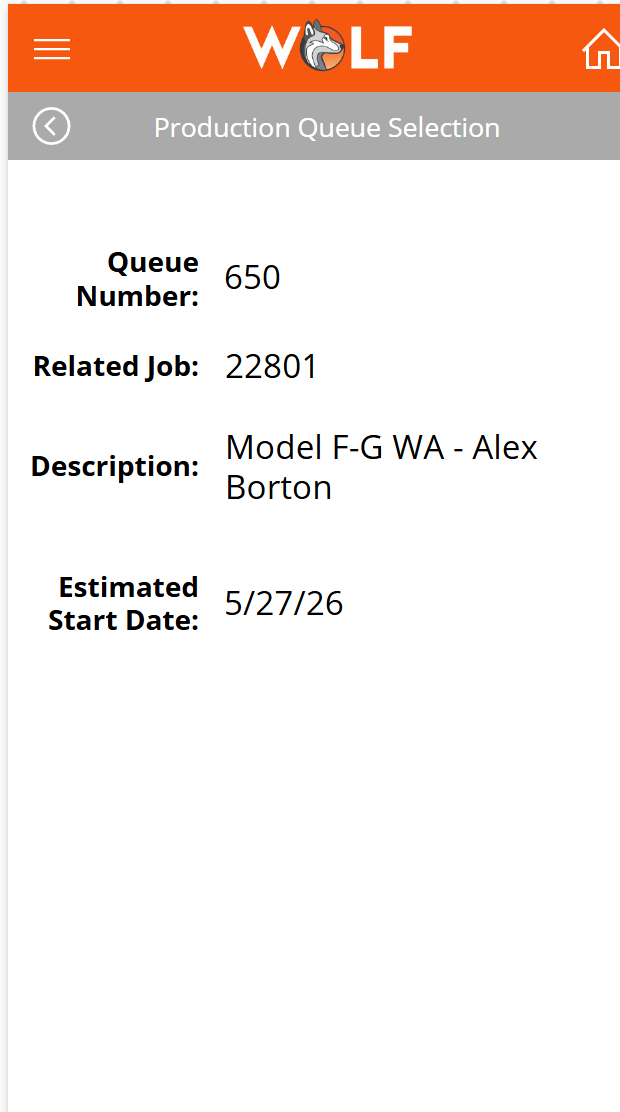
When a user selects a project from the gallery, the app opens a detail screen showing the queue number, related job number, project description, and estimated start date. This gives employees quick access to the key information they need without searching through separate systems.
Business Impact
This feature improves operational visibility by giving crews a clear view of what work is recently completed, currently active, and coming soon. It reduces the need for manual status checks and helps teams prepare for upcoming jobs.
Skills Demonstrated
Canvas app design, Dataverse data integration, gallery filtering, date-based logic, sorting, record selection, detail screen navigation, Power Fx formulas, and mobile-friendly operational reporting.