Custom Business Central Connector
Project Summary
This project is a custom Power Platform connector built to connect Power Apps and Power Automate with Microsoft Dynamics 365 Business Central. The connector exposes reusable Business Central API actions so apps and flows can retrieve, create, update, and delete business records without requiring users to work directly inside Business Central.
Connector Purpose
The connector was designed to make Business Central data available to employee-facing apps and automated workflows. It supports business processes involving jobs, job tasks, planning lines, inventory items, purchase orders, purchase lines, payroll records, PTO balances, reimbursements, production queue records, and purchase invoices.
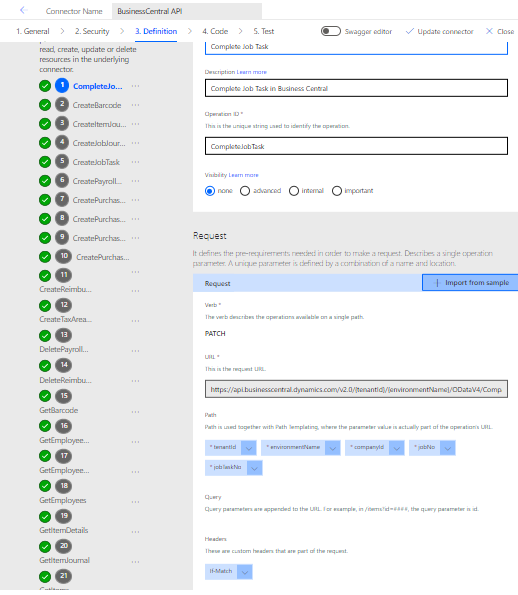
Reusable API Actions
The connector includes reusable actions for common Business Central operations, including getting job lists, retrieving job tasks, creating job journal entries, updating items, retrieving payroll employee records, creating payroll hours, getting employee PTO, creating reimbursements, updating production queue records, and working with purchase invoices and invoice lines.
Power Apps Integration
In Canvas apps, this connector allows the app to call Business Central directly and load data into collections. For example, employee details, PTO records, payroll hours, job lists, and production queue records can be retrieved and displayed inside a mobile-friendly app experience.
ClearCollect(
    EmployeeDetailsCollection,
    BusinessCentralAPI.GetPayrollEmployee(
        tenantId,
        environmentName,
        companyId,
        {
            '$filter': "Login eq '" & User().Email & "'"
        }
    ).value
);
Power Automate Integration
In Power Automate, the connector can be used inside cloud flows to create or update records in Business Central as part of larger business processes. This makes it possible to automate work that would otherwise require manual entry in the ERP system.
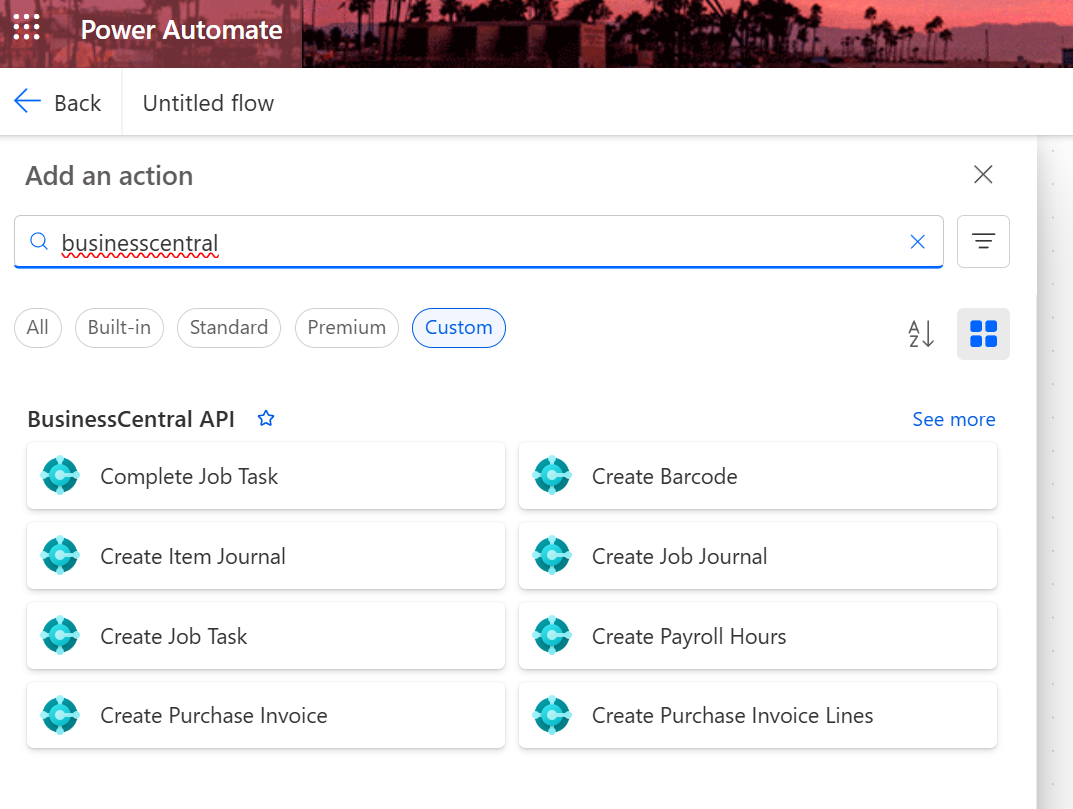
Business Impact
This connector reduces duplicate data entry, makes ERP data available in user-friendly apps, and allows Business Central to participate in automated processes across Power Apps, Power Automate, Dataverse, Outlook, Teams, and SharePoint. It helps turn Business Central from a back-office system into a connected data source for day-to-day operations.
Technical Design
The connector uses Business Central OData endpoints with path parameters for tenant, environment, and company. It also supports query parameters such as filters, selects, ordering, and top limits where needed. Several actions use request bodies for creating or updating records, and some use headers such as If-Match to support Business Central update behavior.
Skills Demonstrated
Custom connectors, Business Central OData APIs, REST API design, Swagger/OpenAPI configuration, Power Apps integration, Power Automate integration, JSON schema mapping, GET actions, POST actions, PATCH actions, DELETE actions, query parameters, request bodies, ERP integration, and reusable connector design.